

The screenshots below were taken of an earlier version of Splice Portfolio that had a character limit on descriptions. Later versions remove this limit.
Why Governance Locks Exist
Two CIPs define locking requirements, and a third specifies how they are enforced on-chain:- CIP-0105 (SV Locking) requires SVs to lock a percentage of their aggregate lifetime SV rewards to keep their SV weight.
- CIP-0116 (FA Locking) requires each featured app provider party to lock a minimum amount of CC to get and keep its featured app status.
- CIP-0127 (On-Chain Enforcement of FA and SV Locking) is the functional specification of governance locks. It defines the lock lifecycle and the wallet workflows described on this page.
Concepts
- Lock owner: the party that owns the CC in a lock. The lock owner is the party that sends the lock requests described below.
- Lock subject: the SV or FA whose locking requirement the lock contributes to. See Choose the Lock Subject.
- Lock kind: the purpose of the lock:
sv-lock,fa-lock, orprovisional-fa-lock. See Lock Kinds and Vesting Periods. - Locked and vesting: a lock is either locked, or vesting after an unlock. Only locked CC counts toward locking requirements. Vested CC is returned to the lock owner when the owner withdraws it. See Withdraw Vested Funds.
- Minimum lock amount: every lock must hold at least 10,000 CC. The minimum applies to every action that produces an additional lock, such as a new lock, a partial unlock, or a partial substitution: each resulting lock must hold at least the minimum. An action on the full amount of a lock is always allowed. Lock amounts that are multiples of the minimum make partial unlocks and substitutions easier.
- Automatic merging: a new lock with the same owner, kind, subject, and vesting state as an existing lock merges into the existing lock. Use this to top up a lock.
Lock Kinds and Vesting Periods
The vesting periods and the minimum lock amount are network configuration parameters. SVs can change them by vote. The values on this page are the defaults.
How Locked Funds Are Aggregated
The amount that counts toward a locking requirement is the sum of all locks with the samelock-subject and lock-kind, and with lock-status=locked. The sum includes the locks of all lock owners, so several parties, wallets, or custodians can contribute to the same SV or featured app. Vesting locks do not count. Provisional FA locks are summed separately from FA locks, so they do not count toward the requirement of an existing featured app.
How Wallets Show Governance Locks
CIP-0127 defines a compatibility mode that works with any wallet that supports token standard two-step transfers. In compatibility mode:-
Each lock request is a two-step transfer to the lock manager address:
This address is a fixed placeholder party ID. The Splice Daml code recognizes transfers to this address and interprets their memo as a lock request.
-
The transfer memo (the Description field in Splice Portfolio) says what to do. A memo always starts with
cip-127/memo:and continues withkey=valuepairs separated by&(without any spaces -
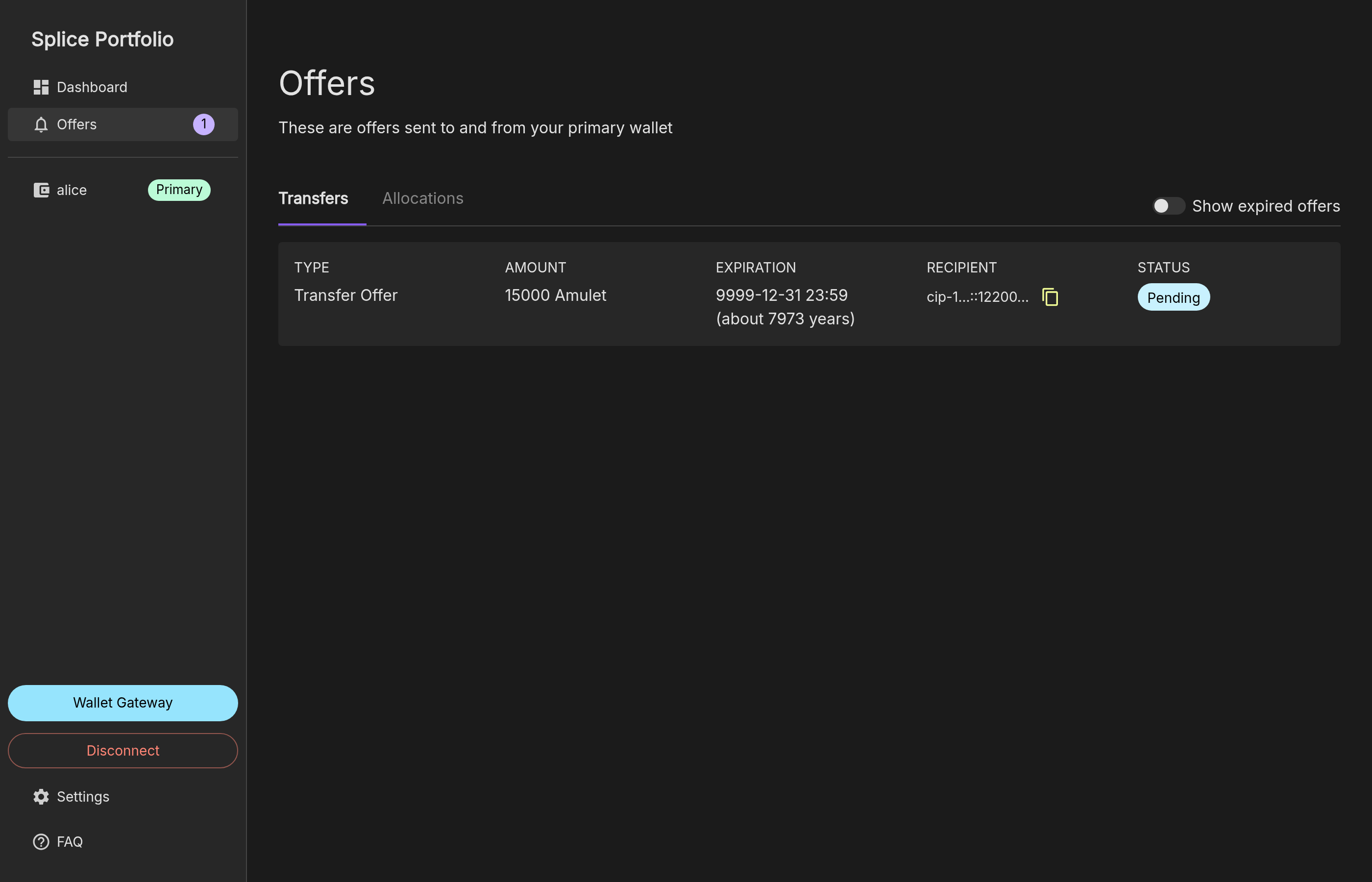
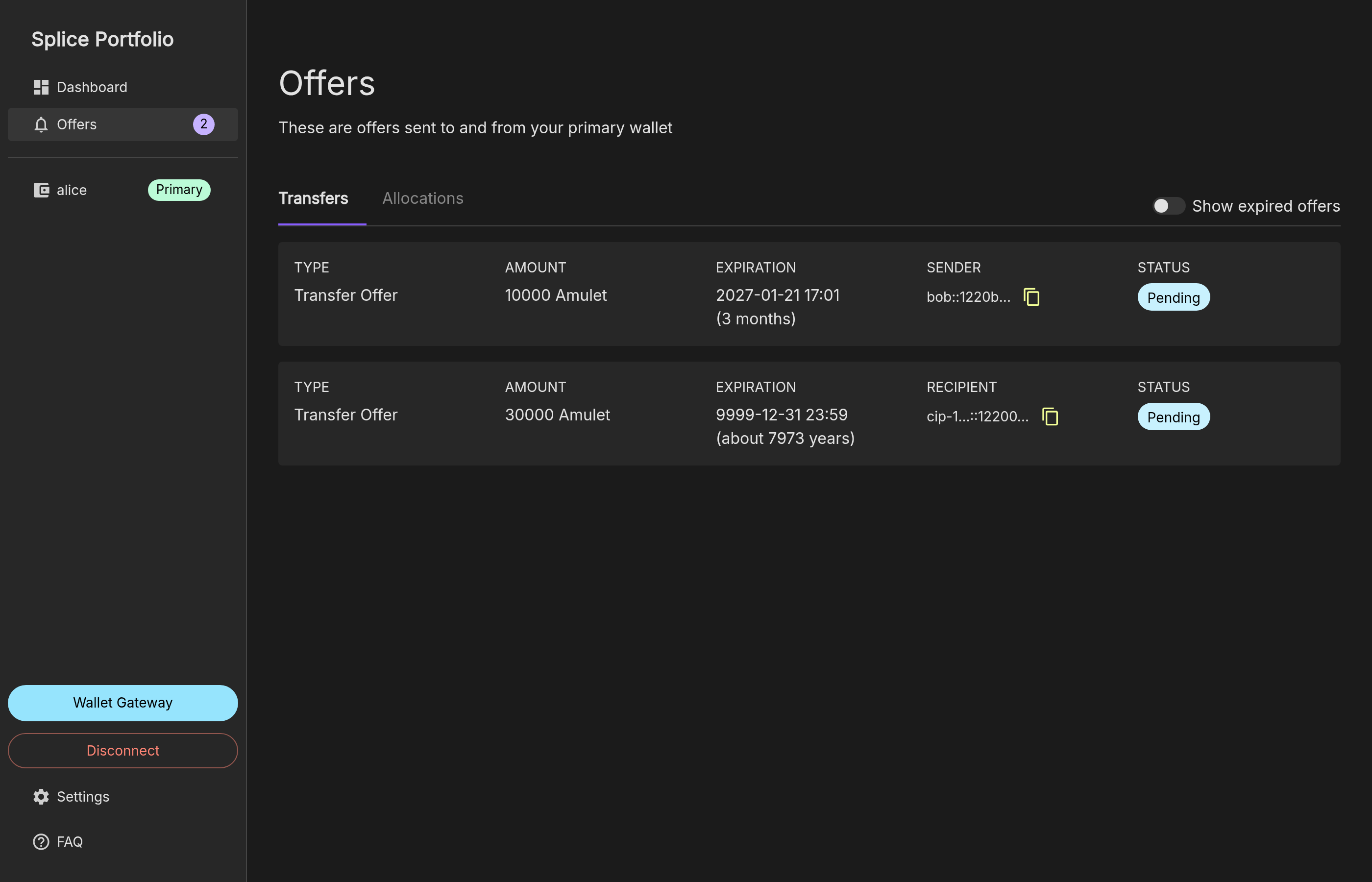
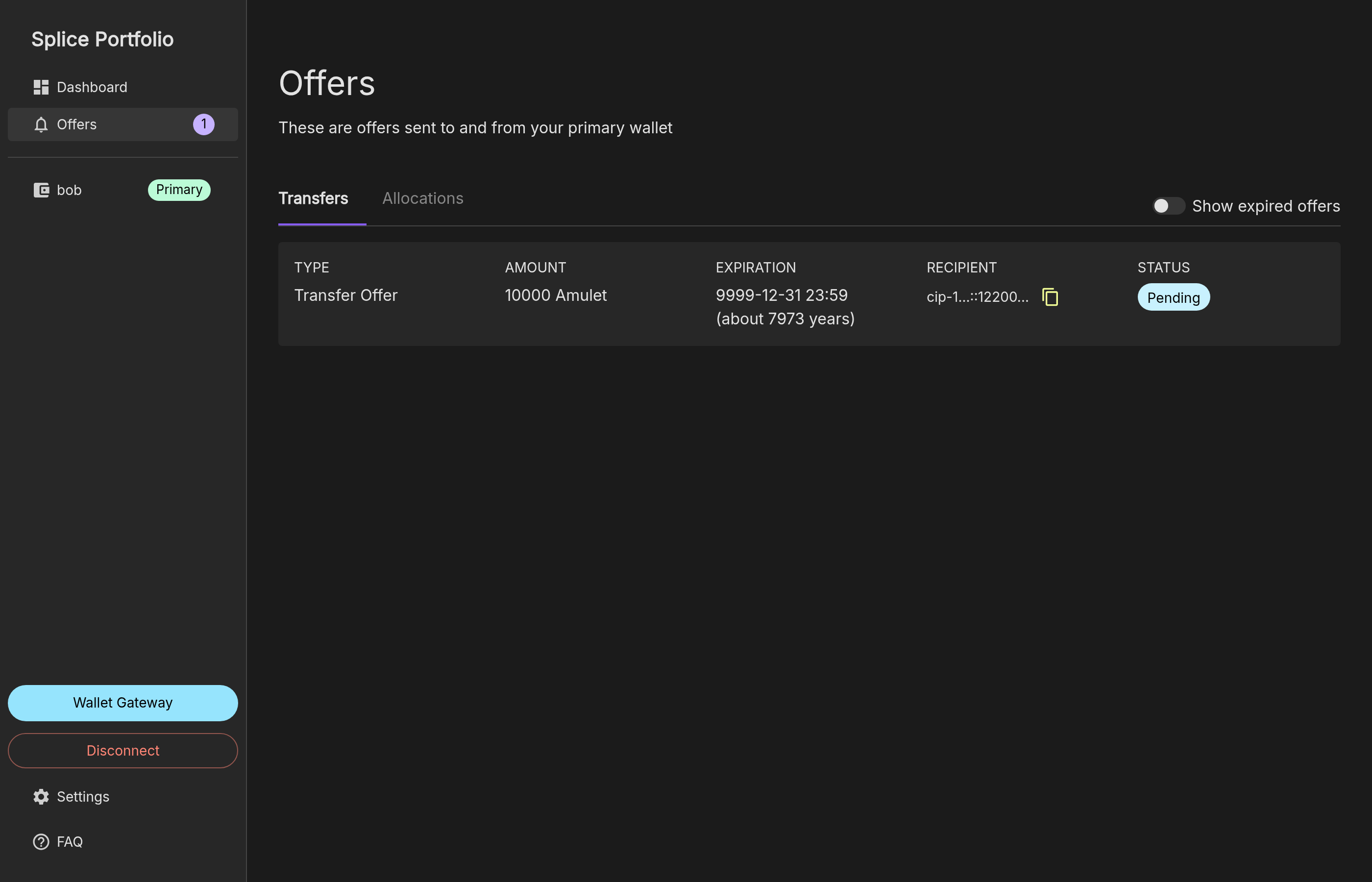
Each lock shows in the wallet as a pending transfer offer from the lock owner to the lock manager address. In Splice Portfolio, locks are on the Offers page, under Transfers:
- A locked lock has the expiration
9999-12-31 23:59. - A vesting lock has the end of its vesting period as its expiration.
- A locked lock has the expiration
-
To see the details of a lock, click its row on the Offers page. The Description of a lock lists its parameters, for example
cip-127/memo:lock-kind=sv-lock&lock-subject=Example-SV-1&lock-status=locked. A vesting lock also listslock-vesting-duration-micros,lock-vesting-end-time-micros, and a human-readablelock-vesting-info.
- It manages only owner-controlled locks. CIP-0127 also specifies locks with custom controllers for unlock, substitution, and withdrawal, for example for staking apps. These need a wallet or app with a full-feature integration.
- It does not support minting SV rewards directly into a lock.
- Locks show as long-lived transfer offers in the wallet.
Send a Lock Request
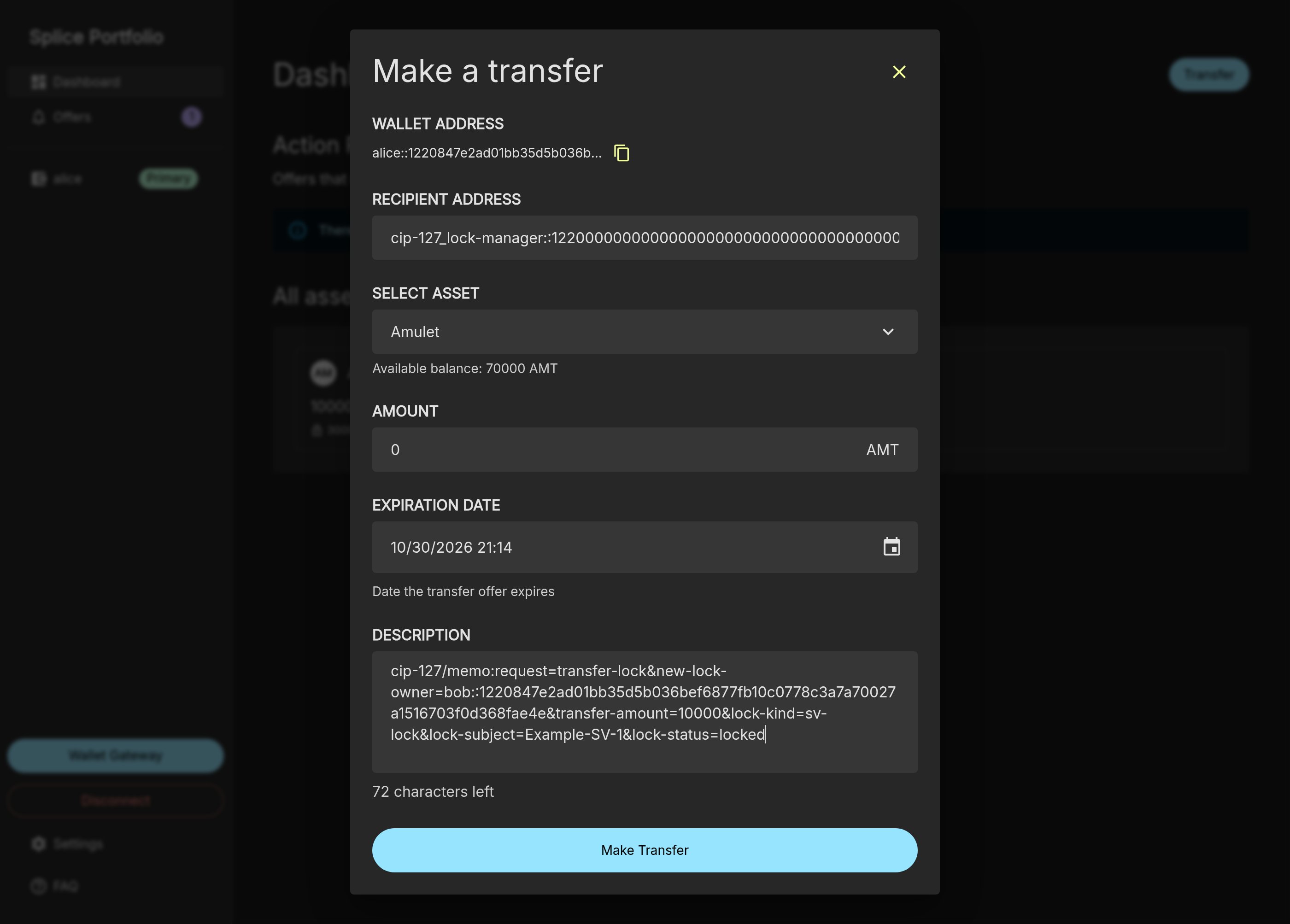
All lock actions on this page use the same transfer form. In Splice Portfolio:- On the Dashboard, click Transfer to open the Make a transfer dialog.
- Fill in the form:
- Recipient Address: the lock manager address,
cip-127_lock-manager::1220000000000000000000000000000000000000000000000000000000000000abcd. - Select Asset: Canton Coin. The screenshots on this page come from a local test network, where the asset shows as
Amulet(AMT). - Amount: the value given in the section for the action.
- Expiration Date: leave the default. This date applies to the transfer request only. It is not the duration or the expiration of the lock.
- Description: the memo given in the section for the action.
- Recipient Address: the lock manager address,
- Click Make Transfer.
- Approve the transaction in your wallet provider. With the Wallet Gateway, click Approve in the Activity Details popup.
- Close the Transfer Summary dialog.
- Click Offers in the left navigation to see the result.
Choose the Lock Subject
Thelock-subject in every memo says whose locking requirement the lock counts toward:
- SV locks: the SV name exactly as it appears in the
namefield ofapproved-sv-id-values.yaml, for exampleGlobal-Synchronizer-Foundation. The examples on this page use the fictional nameExample-SV-1. Replace it with your SV name. - FA locks and provisional FA locks: the full party ID of the featured app provider party.
Create a Lock
Send a lock request with:- Amount: the amount of CC to lock, at least the minimum lock amount.
-
Description:
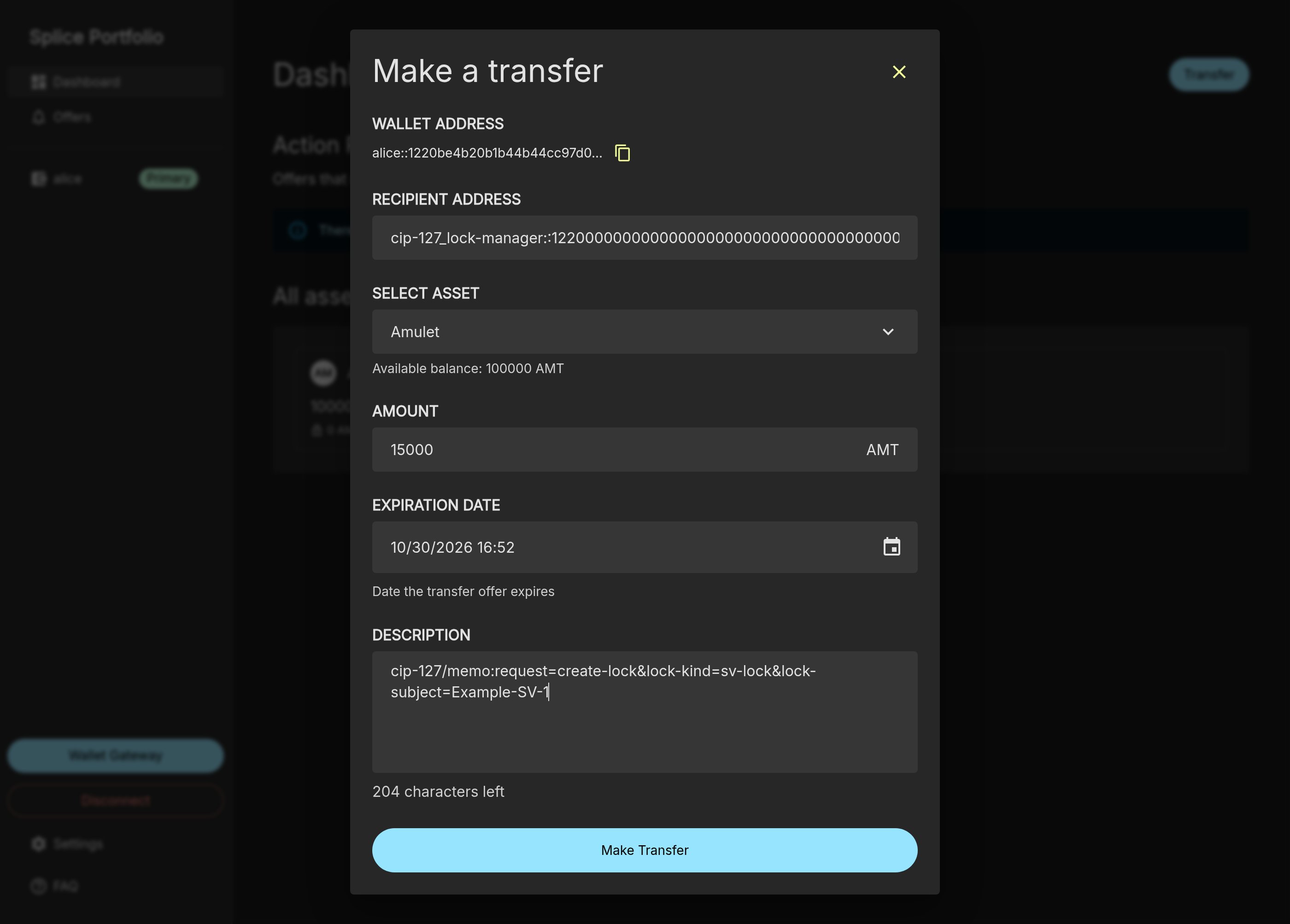
9999-12-31 23:59:
Top Up a Lock
To add CC to an existing lock, send another create request with the samelock-kind and lock-subject. The new lock merges automatically into the existing lock. For example, a second create request for 15,000 CC with the memo from Create a Lock results in one lock of 30,000:
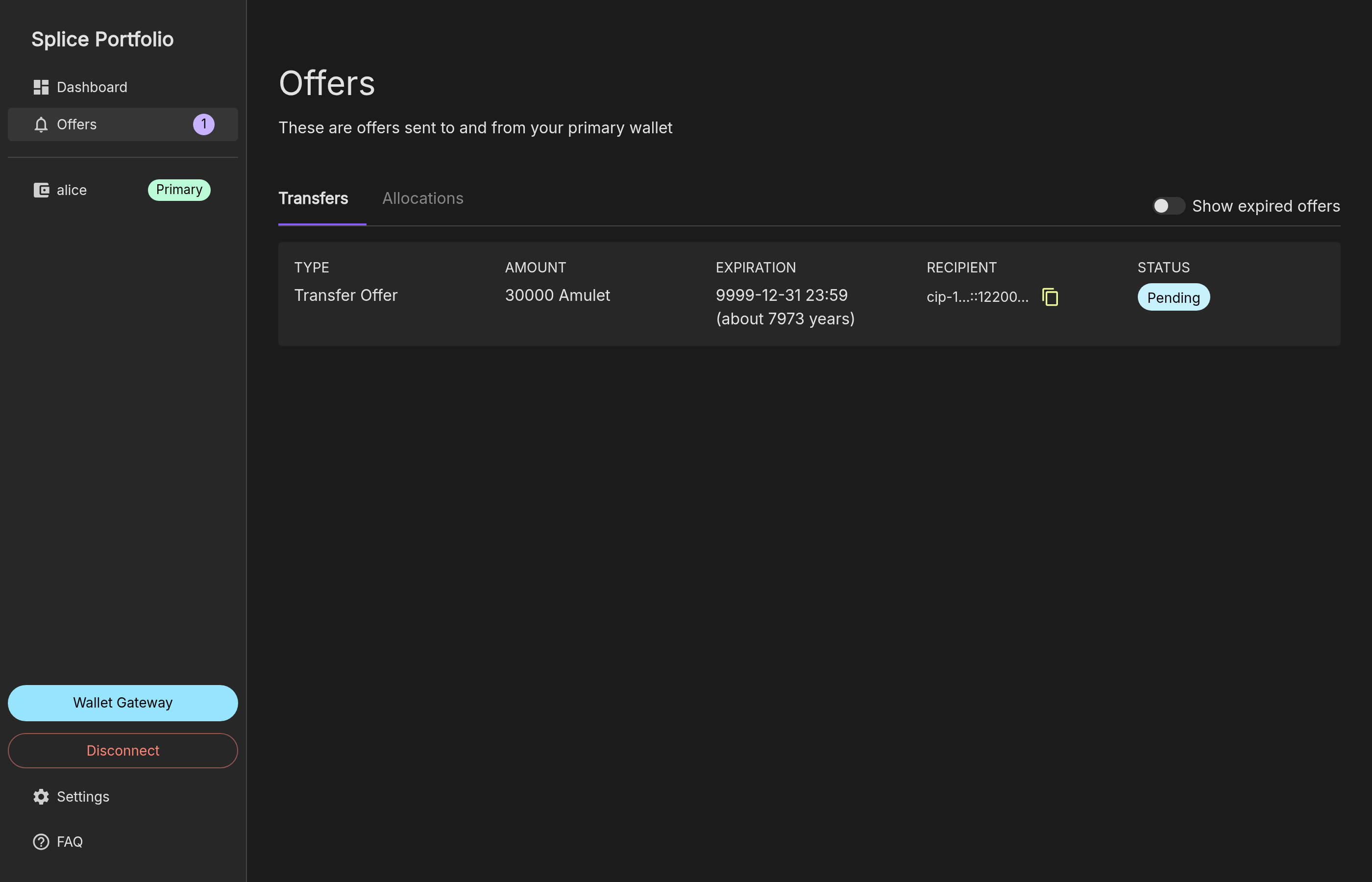
Merging is best-effort. Concurrent create requests can produce separate locks with the same parameters, and one request merges at most 20 locks. To merge the remaining locks, send a create request with an amount of
0.Unlock a Lock
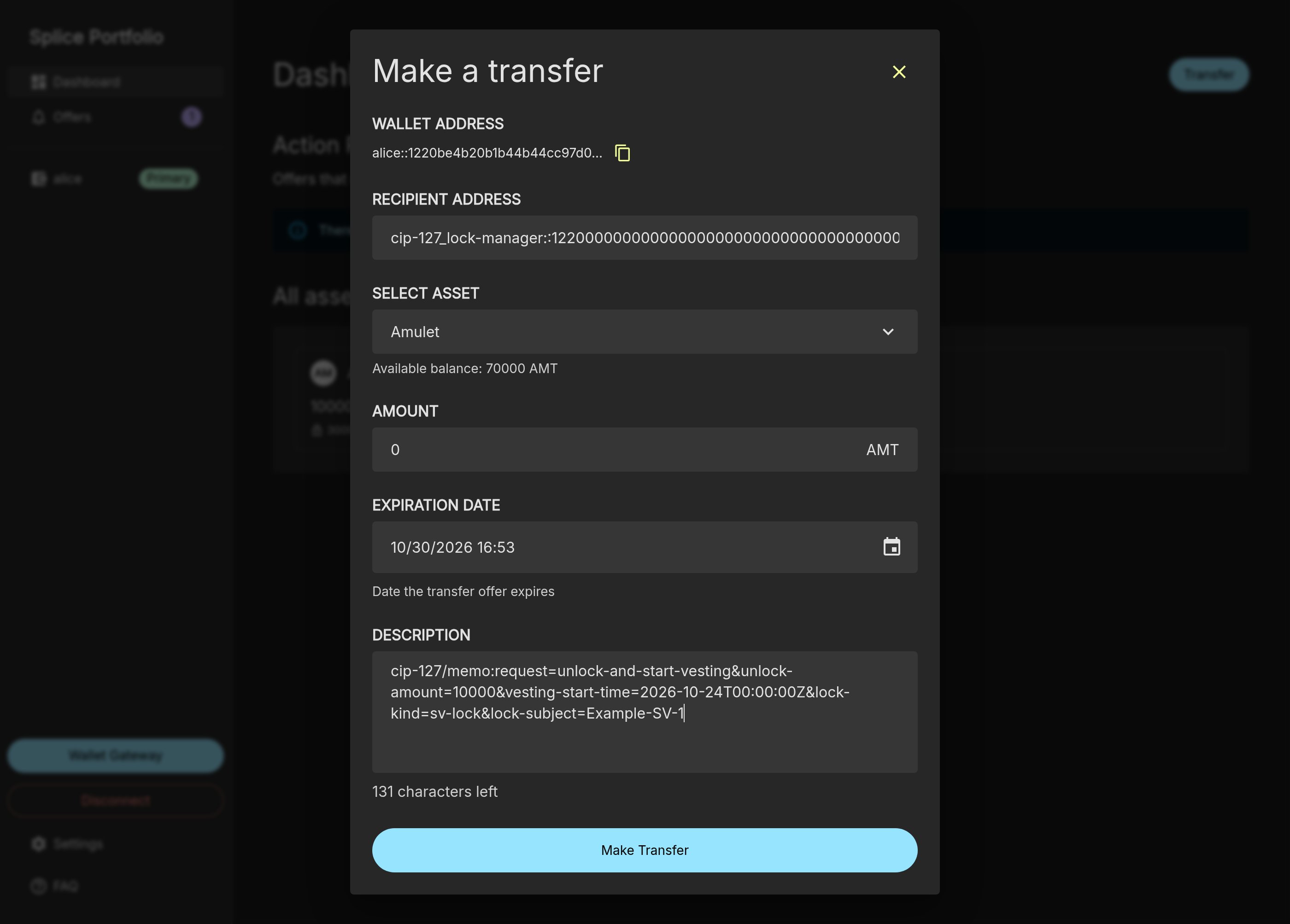
An unlock converts all or part of a locked lock into a vesting lock. Send a lock request with:-
Amount:
0. The transfer amount is ignored;unlock-amountin the memo sets the amount to unlock. -
Description:
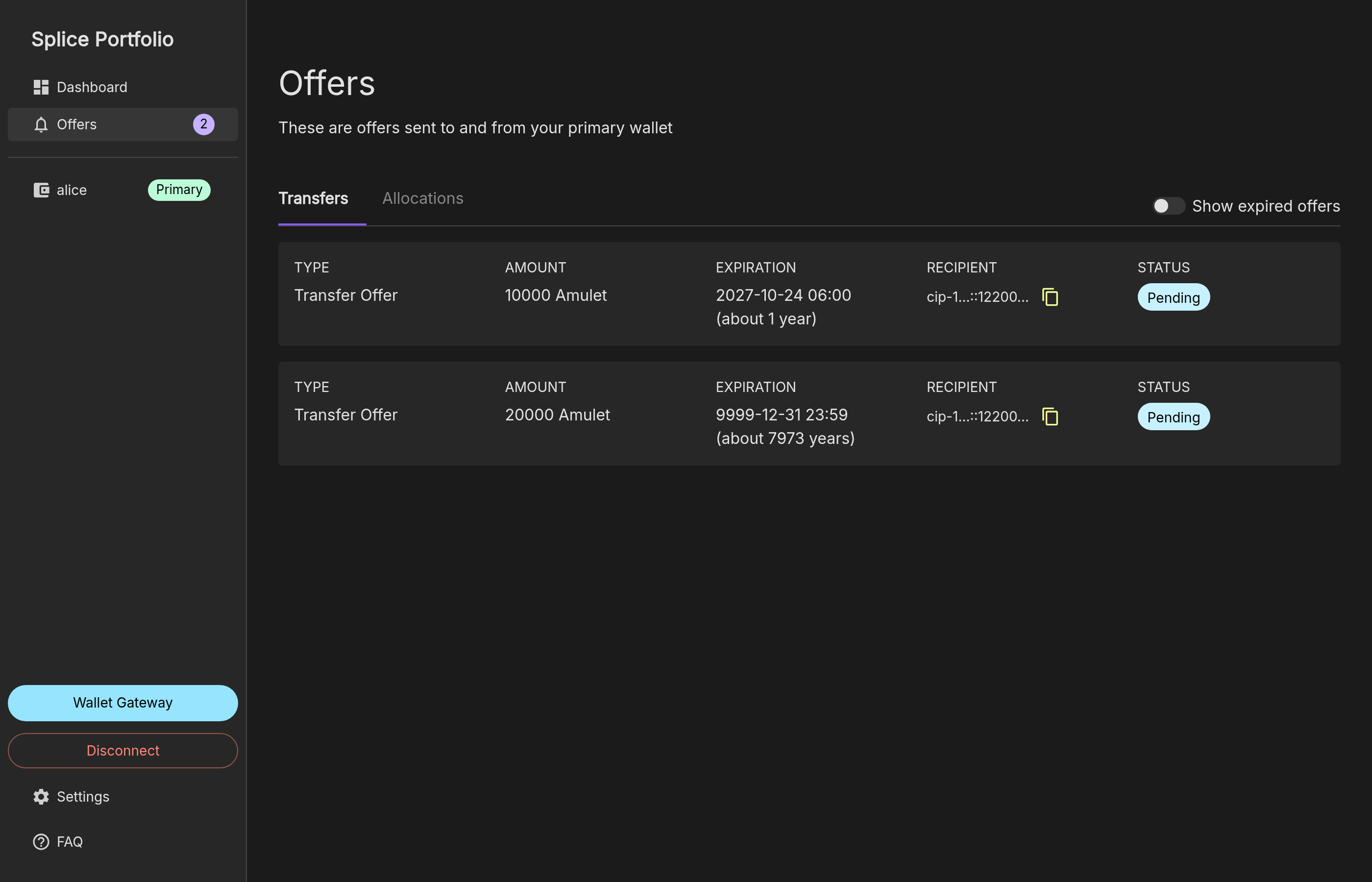
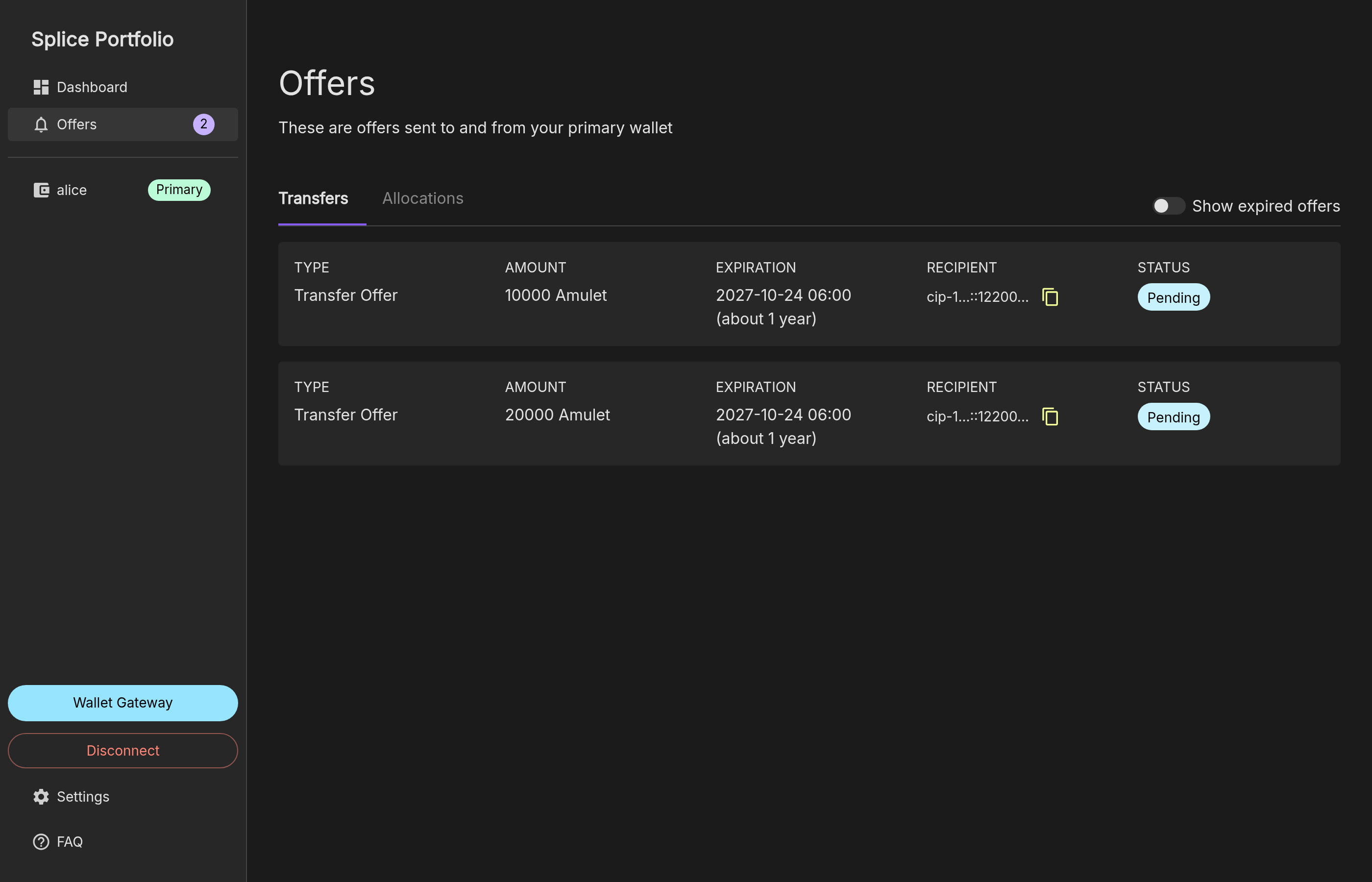
unlock-amount: the amount to unlock. To unlock the full lock, use the full lock amount.vesting-start-time: the start of the vesting period, in ISO 8601 format in UTC. It must still be in the future when the network processes the request, and it must be at most 24 hours in the future. Allow enough time for the approval in your wallet; for example, use the next midnight UTC.
- a vesting lock of 10,000, whose expiration is the end of the vesting period (the vesting start plus 365.25 days);
- a locked lock of 20,000, with the expiration
9999-12-31 23:59.
Withdraw Vested Funds
Vested CC stays in the vesting lock until you withdraw it. To withdraw the CC that vested up to a given time, send a lock request with:-
Amount:
0. The transfer amount is ignored. -
Description:
vested-until-time: the time up to which vested CC is withdrawn, in ISO 8601 format in UTC. It must be in the past, and later than the time of any earlier withdrawal from the same lock.lock-status,lock-vesting-duration-micros, andlock-vesting-end-time-microsidentify the vesting lock. Copy them from the Description of the vesting lock: click the lock’s row on the Offers page.
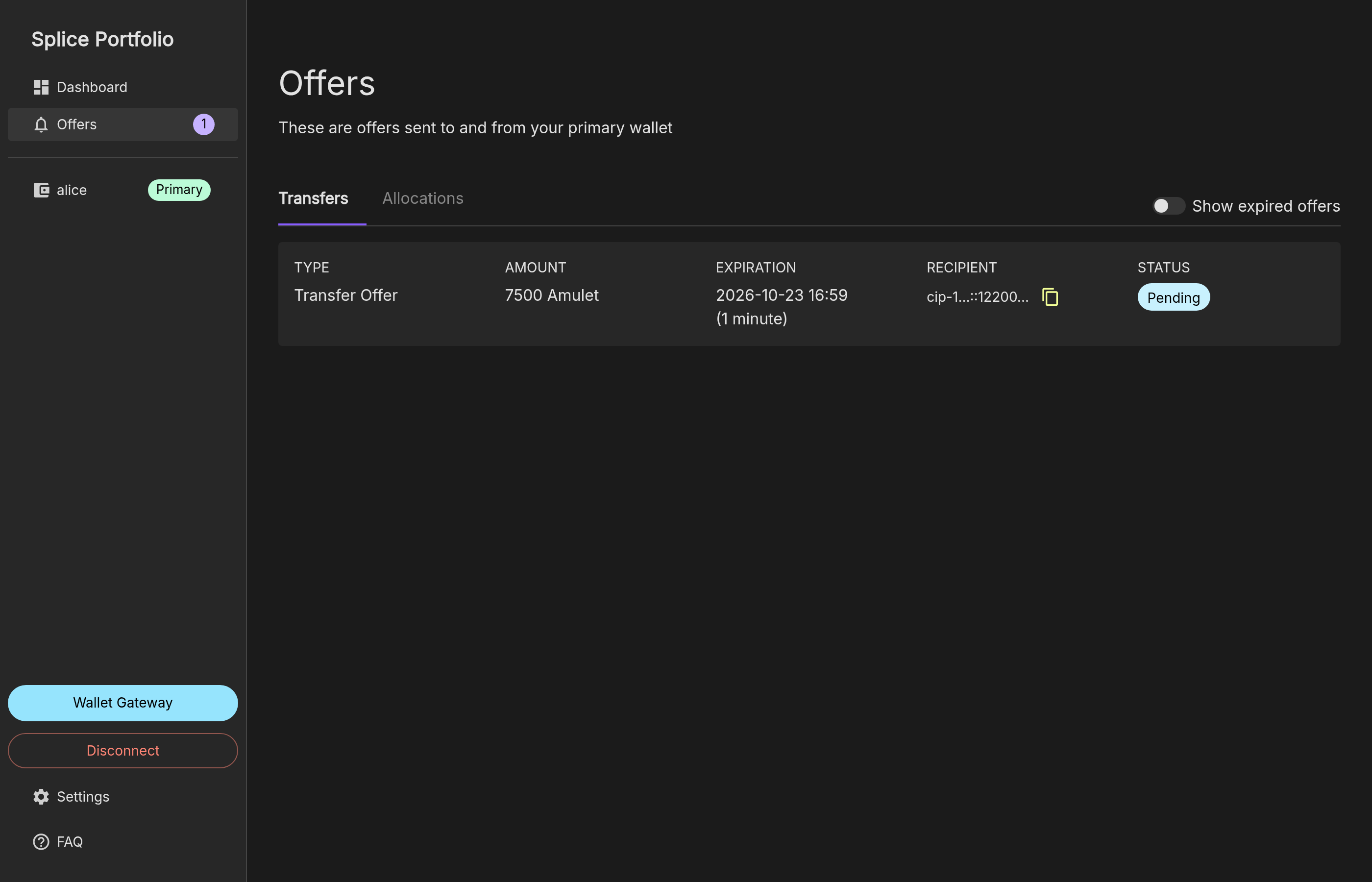
After a withdrawal, the vesting lock holds the remaining amount, and its
lock-vesting-duration-micros changes to the remaining vesting period. Copy the current values from the lock’s Description before each withdrawal.The withdrawal screenshots come from a test network with a vesting period of 120 seconds (
lock-vesting-duration-micros=120000000), so the times are minutes apart. With the default SV vesting period of 365.25 days, the duration is 31557600000000.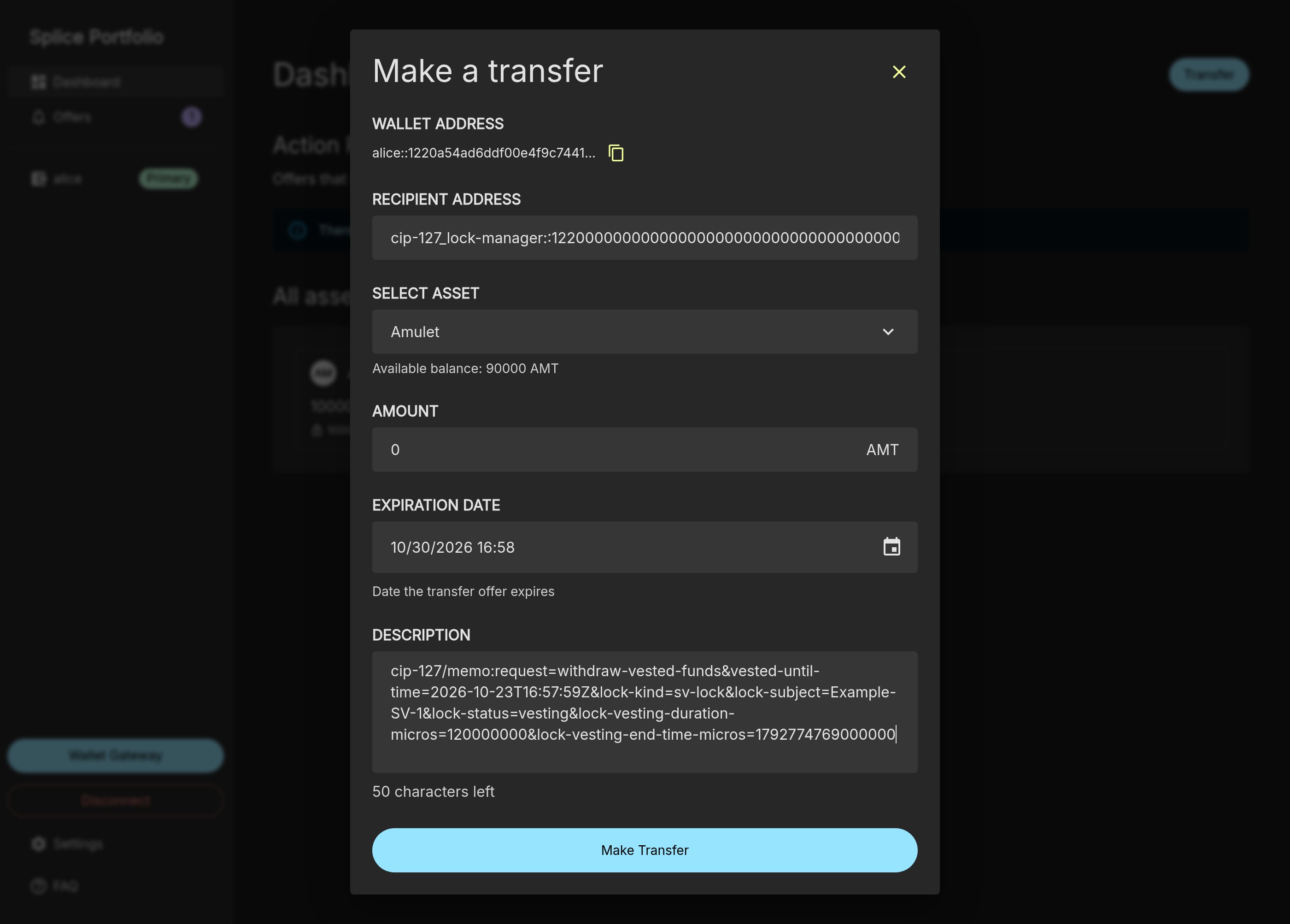
Substitute a Lock
In a substitution, a funds owner (the proposer) offers to replace part or all of an existing lock of another party (the target owner) with their own CC. If the target owner accepts:- the substituted amount is returned to the target owner as liquid CC;
- the target lock is reduced by that amount;
- the proposer gets a new lock of that amount, with the same kind and subject as the target lock.
Propose a Substitution
The proposer sends a lock request with:- Amount: the amount to substitute. This amount of the proposer’s CC is reserved until the proposal is accepted, rejected, withdrawn, or expires.
-
Description:
target-lock-owner: the full party ID of the target owner.lock-status:lockedto substitute a locked lock, orvestingto substitute a vesting lock. For a vesting lock, also add&lock-vesting-duration-micros=<duration>&lock-vesting-end-time-micros=<end time>, copied from the Description of the target lock.
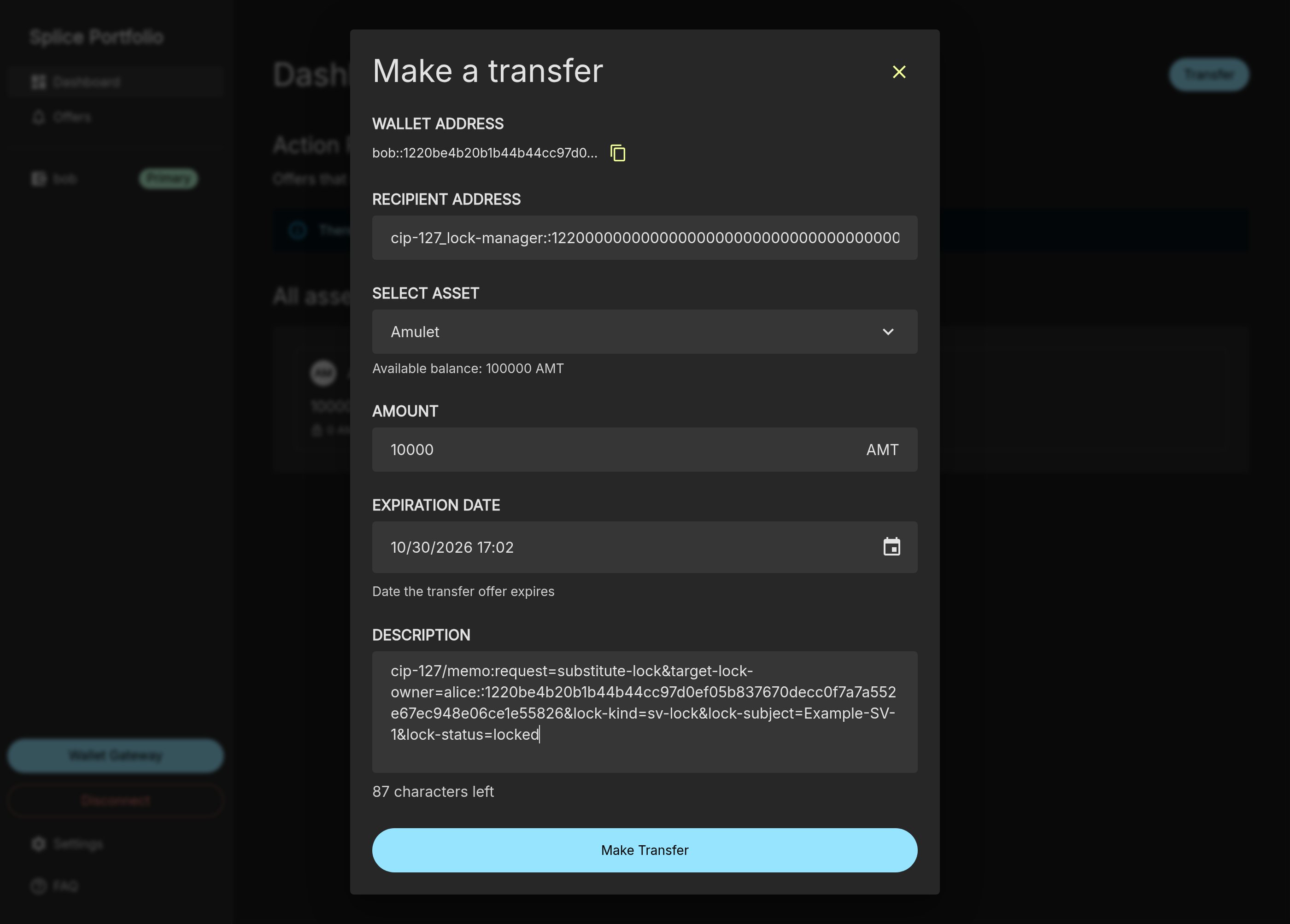
request=accept-to-substitute-lock. Both parties see it on their Offers page. The proposal expires after 90 days.
Accept or Reject a Substitution
The target owner clicks the proposal on the Offers page. The Transfer Offer dialog shows the amount, the proposer as the sender, and the memo: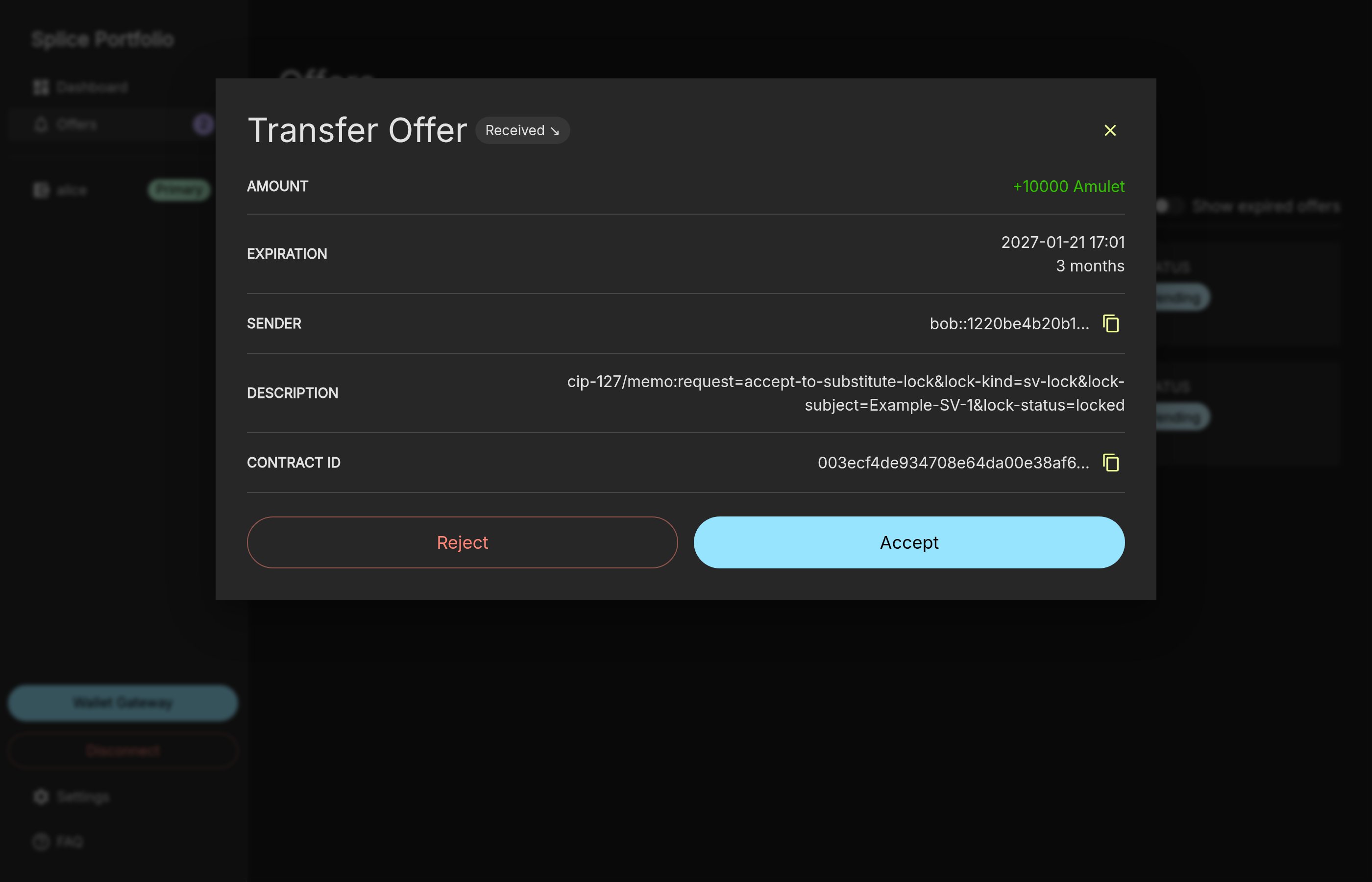
- Click Accept to accept the substitution.
- Click Reject to reject it. The reserved CC is returned to the proposer, and the target lock does not change.
Withdraw a Substitution Proposal
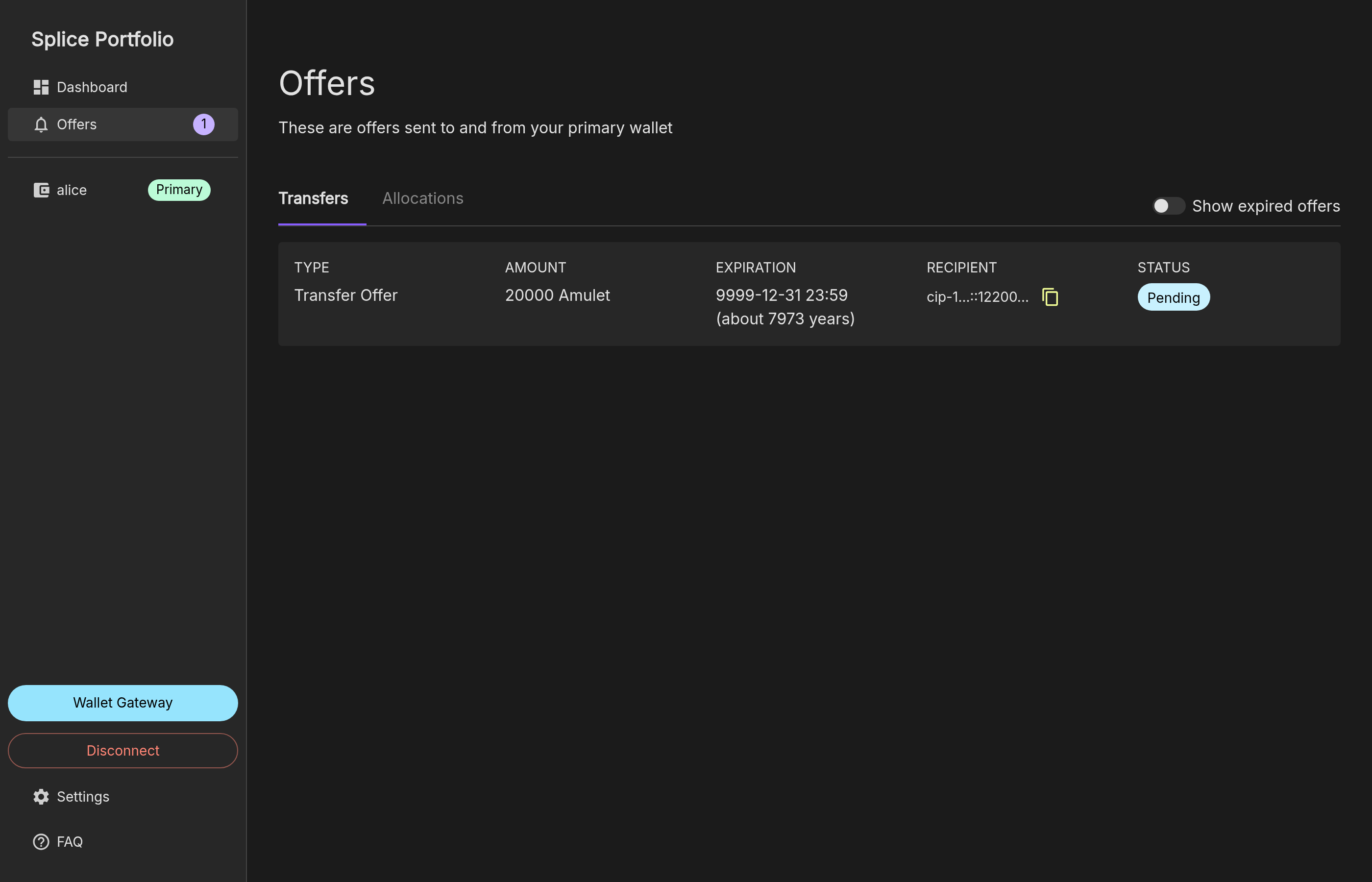
Until the target owner accepts, the proposer can withdraw the proposal. The proposer clicks the proposal on the Offers page and clicks Withdraw. The reserved CC is returned to the proposer.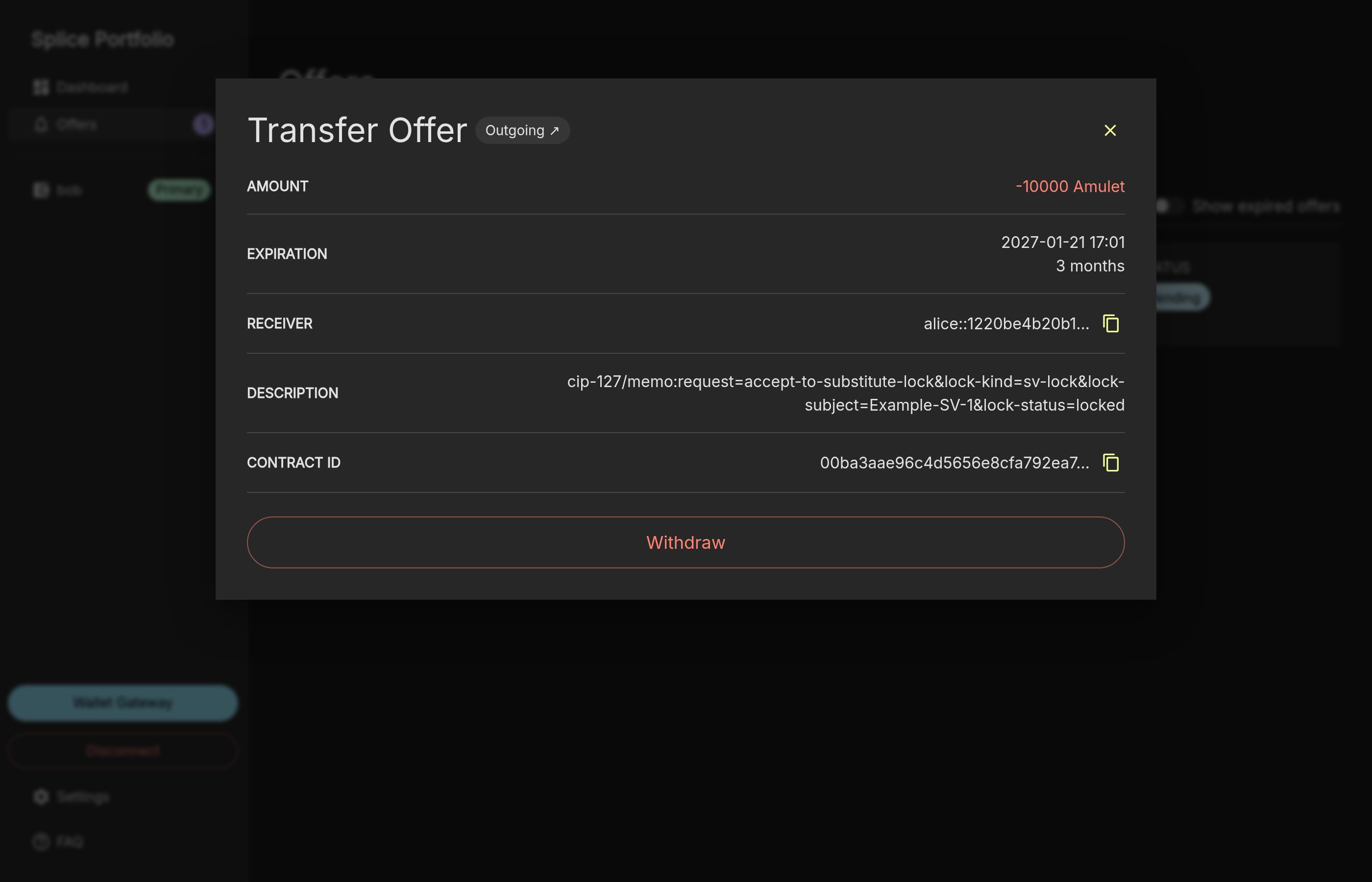
Transfer a Lock
A lock transfer moves all or part of a lock to a new owner, without vesting and without new funds. It keeps the lock kind, subject, and vesting state. Use it, for example, to move a lock to a different custodian. Unlike a substitution, the current lock owner starts the transfer, and no CC is paid out: the locked CC moves from the current owner to the new owner. The total balance of the current owner decreases by the transferred amount, and the total balance of the new owner increases by the same amount.Propose a Lock Transfer
The current lock owner sends a lock request with:-
Amount:
0. The transfer amount is ignored;transfer-amountin the memo sets the amount to transfer. -
Description:
new-lock-owner: the full party ID of the new owner.transfer-amount: the amount to transfer. After a partial transfer, both resulting locks must hold at least the minimum lock amount.lock-status:lockedorvesting. For a vesting lock, also add&lock-vesting-duration-micros=<duration>&lock-vesting-end-time-micros=<end time>, copied from the Description of the lock.
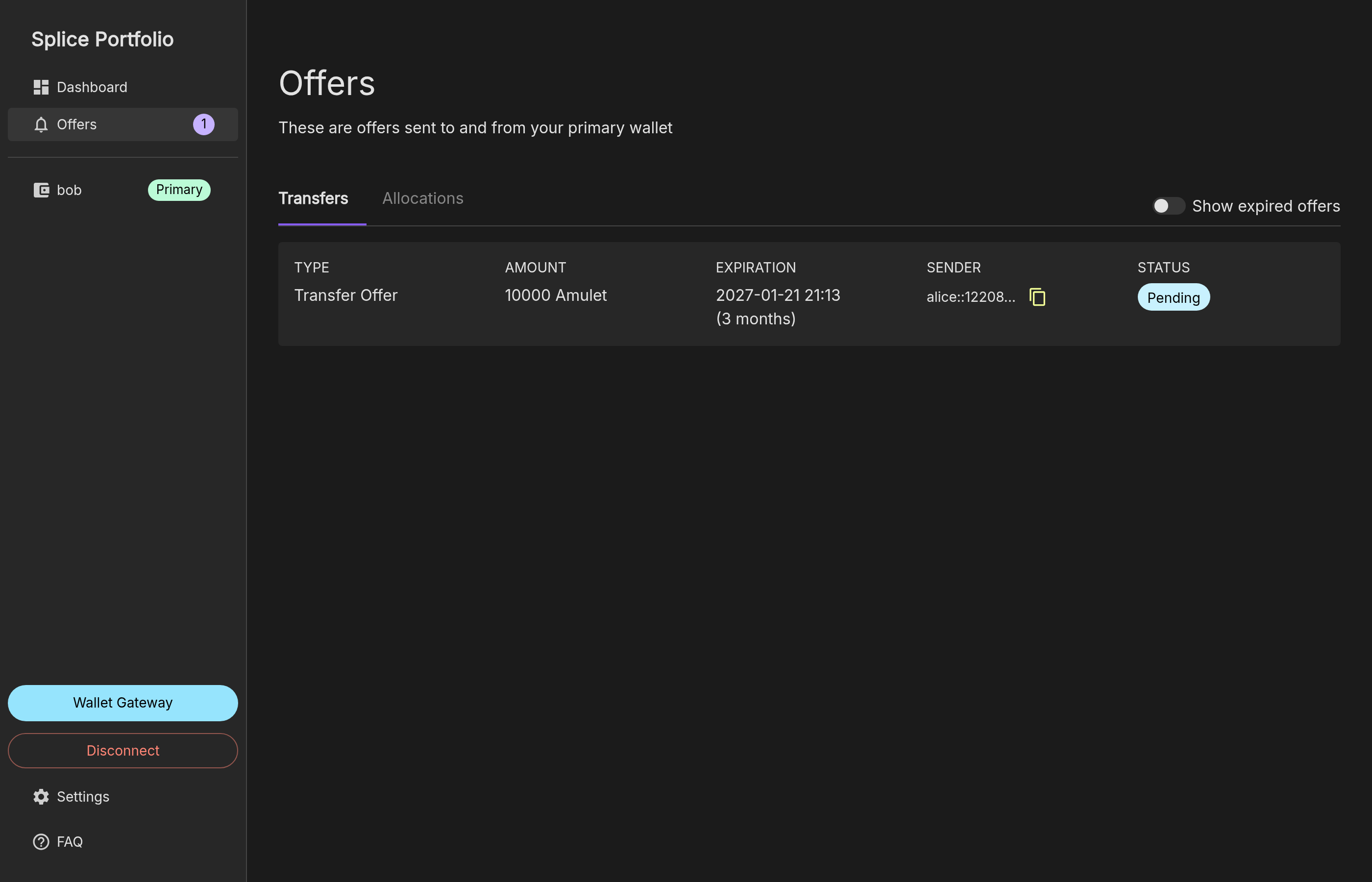
request=accept-to-transfer-lock. Both parties see it on their Offers page. The proposal expires after 90 days.
Accept or Reject a Lock Transfer
The new owner clicks the proposal on the Offers page. The Transfer Offer dialog shows the amount, the current owner as the sender, and the memo: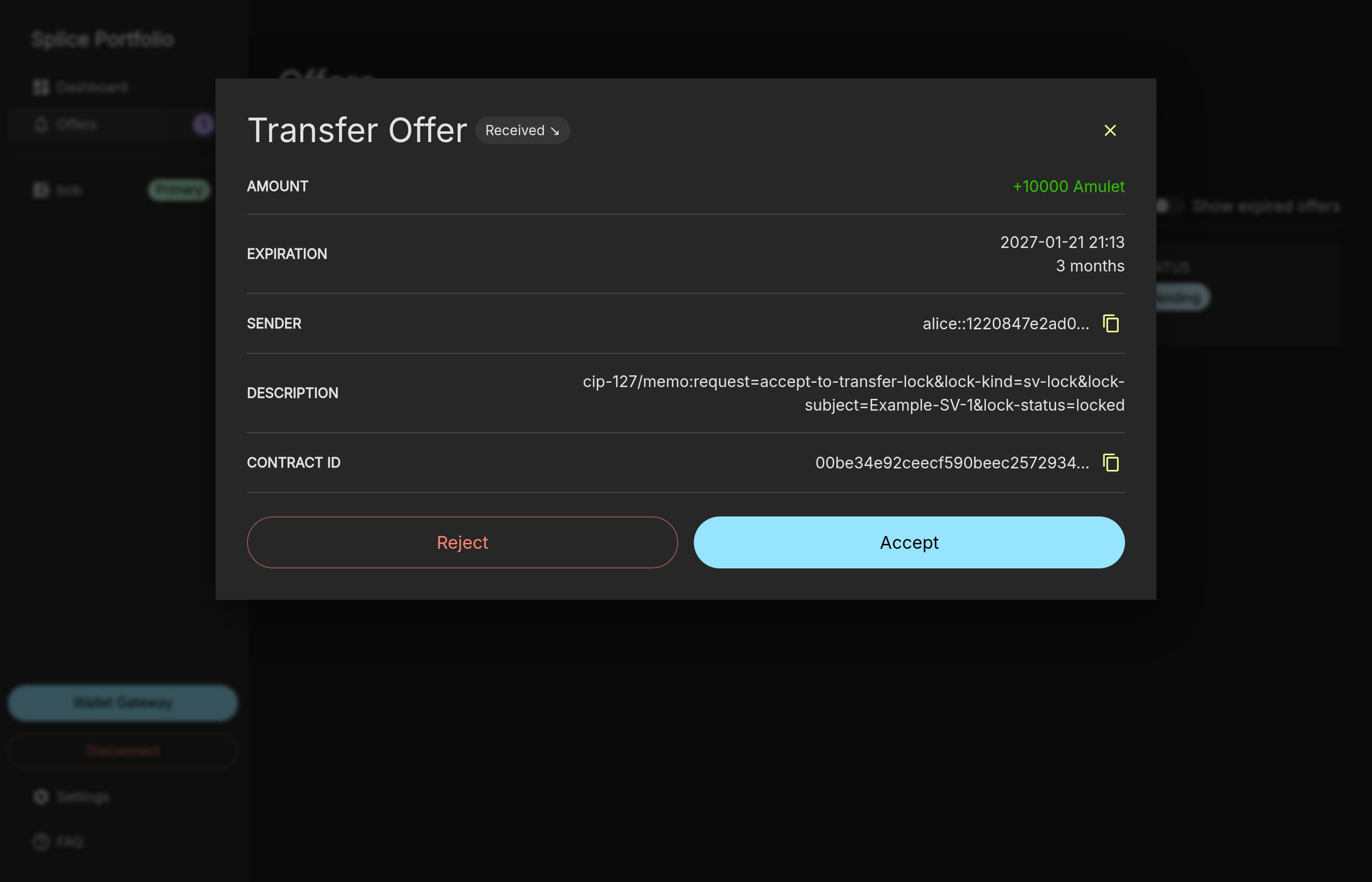
- Click Accept to accept the lock transfer.
- Click Reject to reject it. The lock does not change.
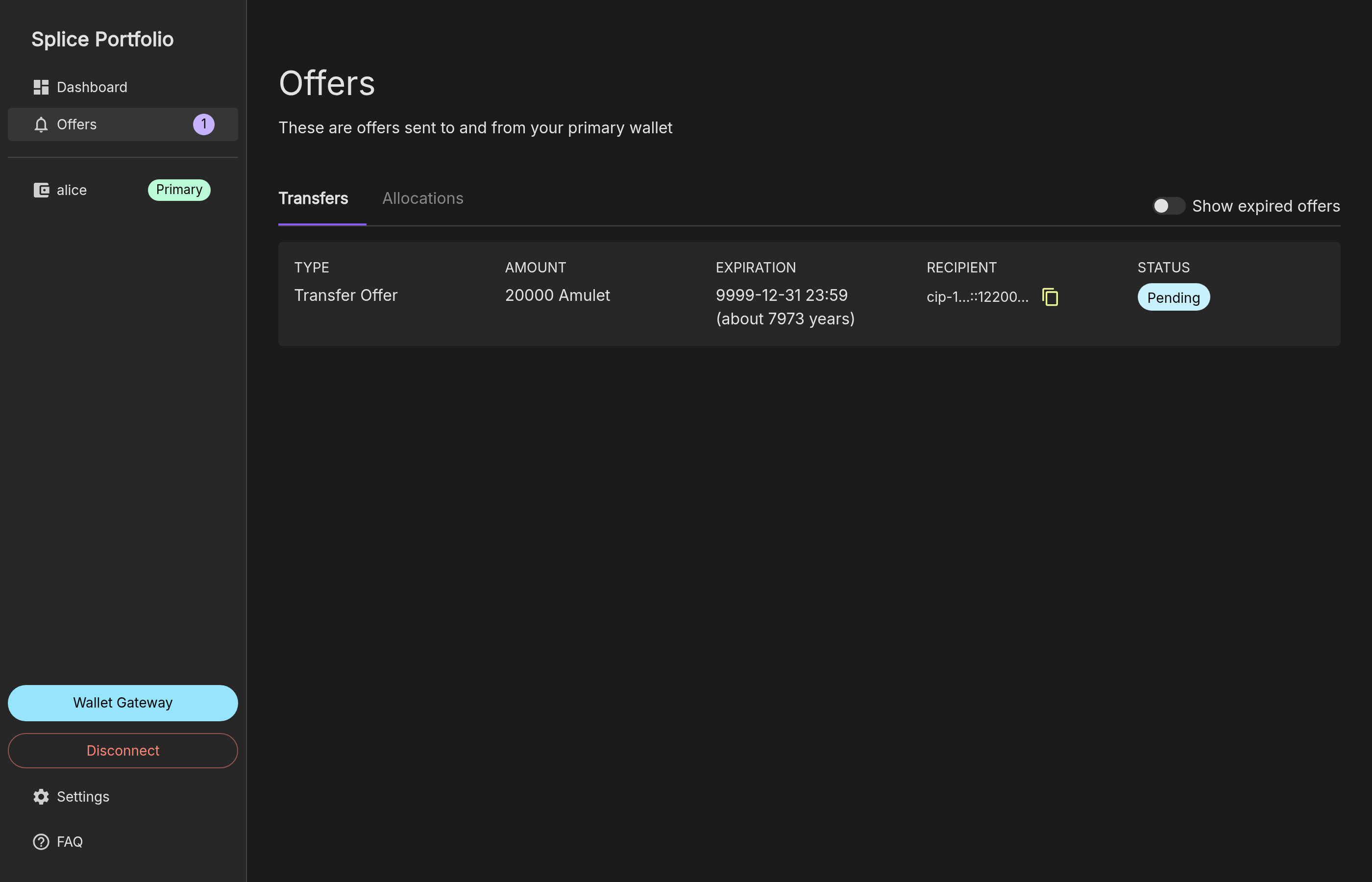
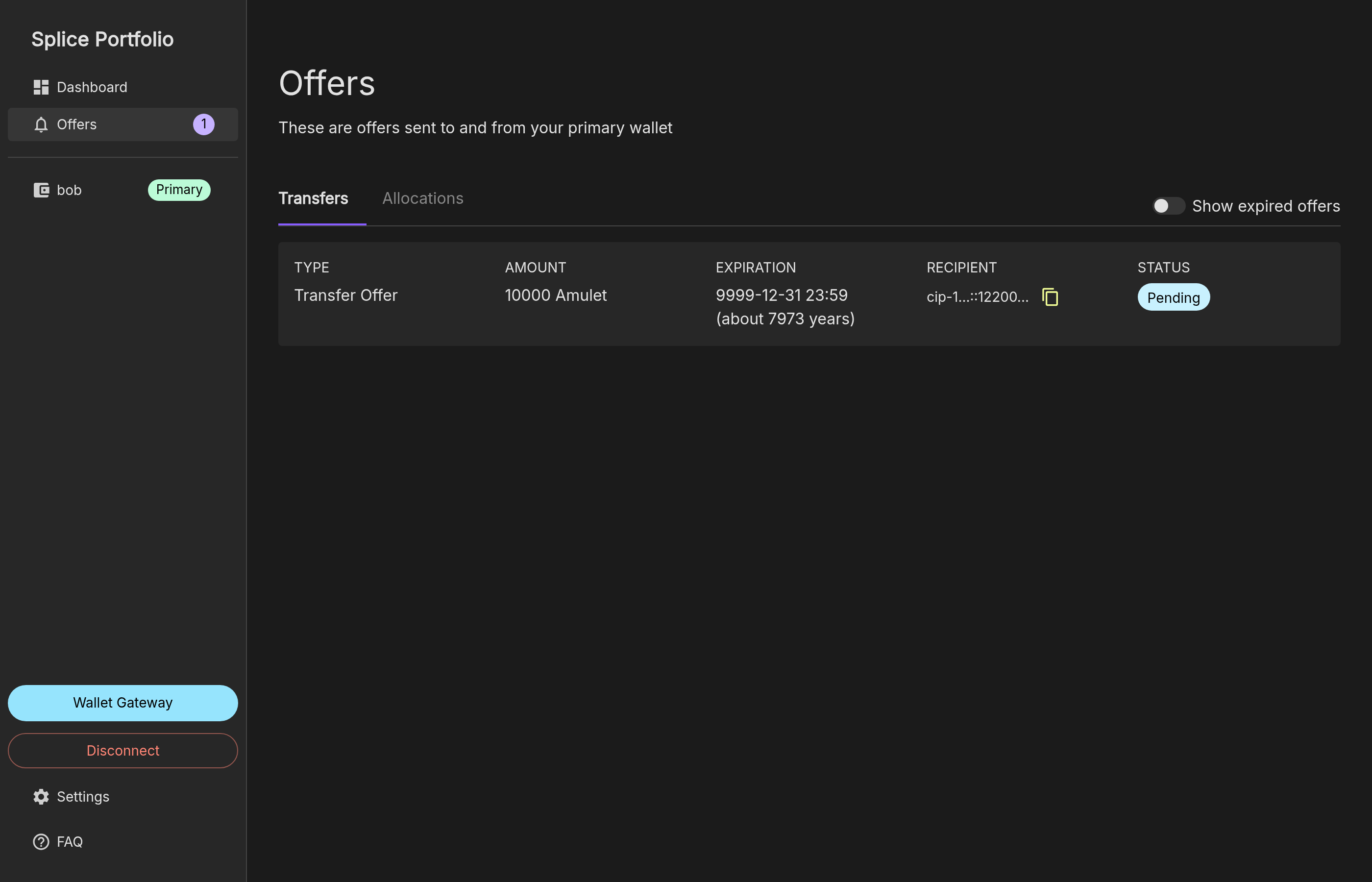
Withdraw a Lock Transfer Proposal
Until the new owner accepts, the current owner can withdraw the proposal. The current owner clicks the proposal on the Offers page and clicks Withdraw. The lock does not change.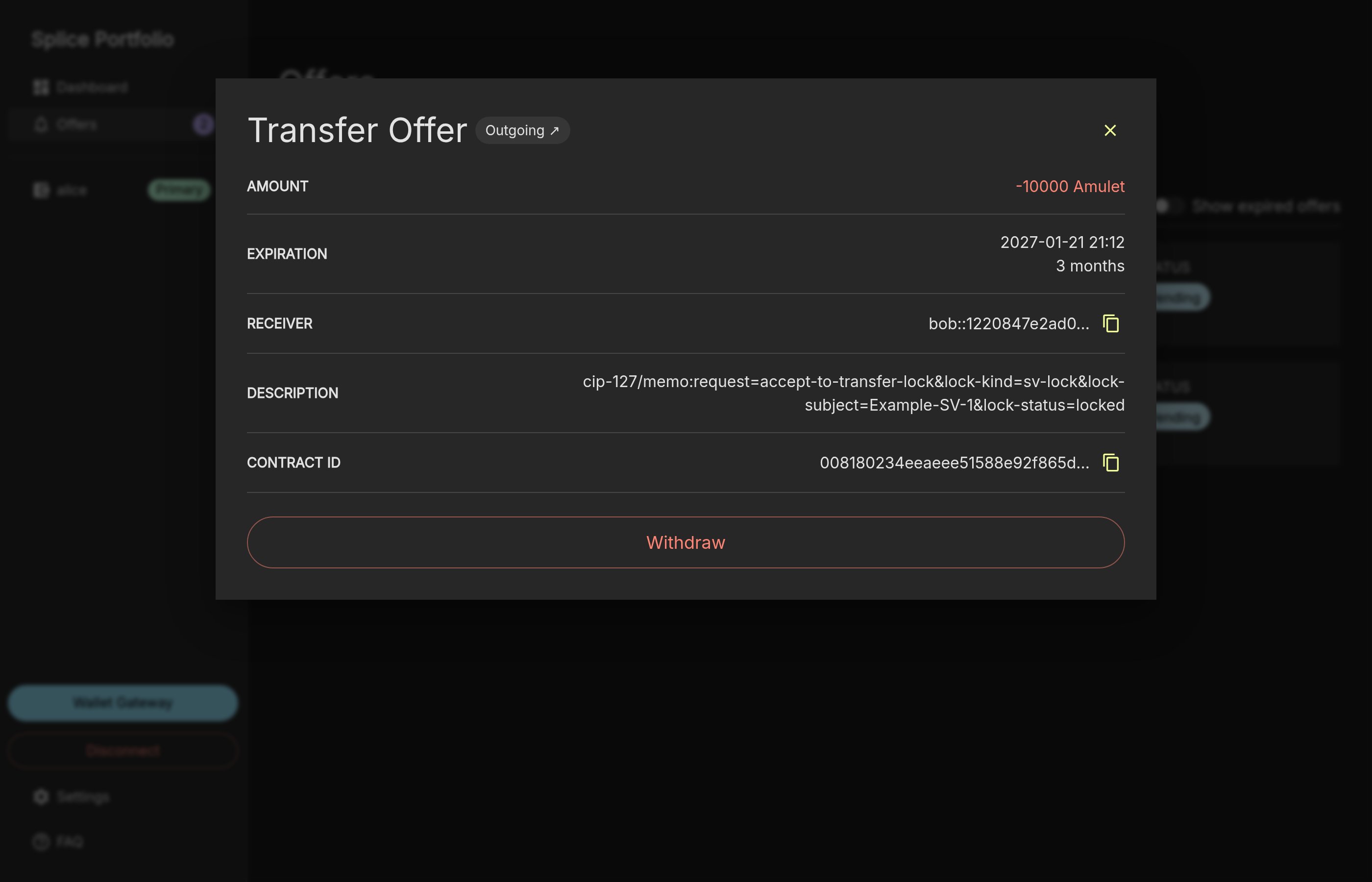
FA Locks and Provisional FA Locks
FA locks work like SV locks, with these differences:- Lock kind:
lock-kind=fa-lock. - Lock subject: the full party ID of the featured app provider party, not a name.
- Vesting period: 60 days, so
lock-vesting-duration-microsof a freshly unlocked FA lock is5184000000000. - Aggregation: the amounts of all locked FA locks with the same subject are added up, so several lock owners can contribute to one featured app. See How Locked Funds Are Aggregated.
lock-kind=provisional-fa-lock) proves that an applicant has sufficient funds before it applies for featured app status. It works like an FA lock, with these differences:
- It does not count toward the locking requirement of an existing featured app.
-
An unlock returns the CC to the lock owner immediately, without vesting. The unlock request does not need
vesting-start-time: - It will be automatically converted to an FA lock by SV automation once the featured app right for the subject is created.